
- kling ai
- kling motion control
- higgsfield ai
- ai video generation
- ai animation workflow
- motion transfer ai
- ai ugc workflow
- ai influencer creation
- ai video editing
- cinematic ai video
- ai character animation
- kling 3.0
- higgsfield workflow
- ai creator tools
- ai video prompts
Includes downloads — Files are delivered after purchase (e.g. email confirmation), not on this page.
About this product
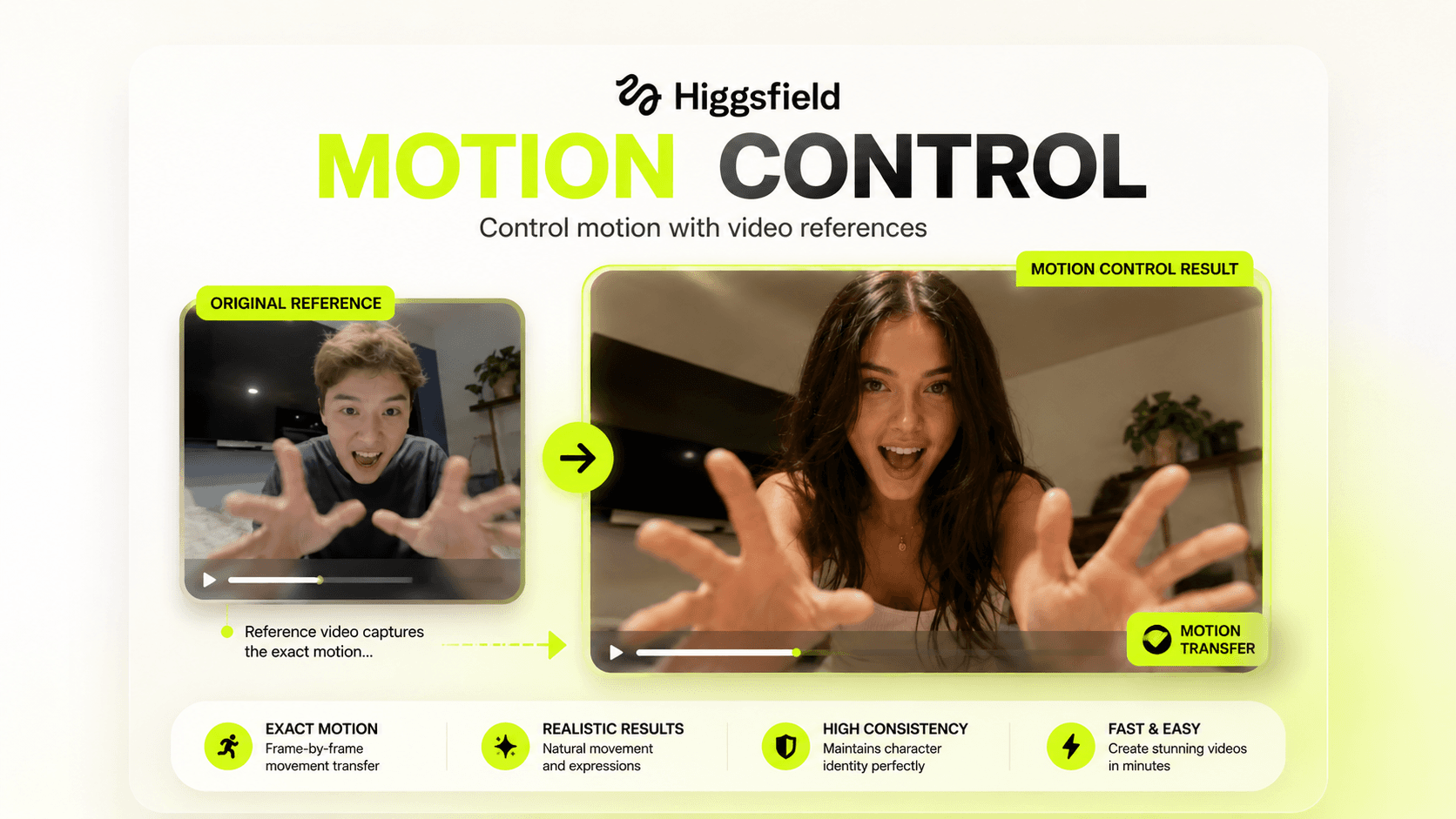
Create cinematic AI videos with realistic human movement using Kling Motion Control 3.0 inside Higgsfield.
This workflow guide teaches you how to take any static image, combine it with a real motion reference video, and transfer exact movement frame by frame to create highly realistic AI-generated videos with consistent facial expressions, natural body movement, and professional-level motion quality.
Instead of relying on random image-to-video generation, this system gives you precise control over how your AI character moves by using real human performance as the motion source.
Perfect for creators building AI influencers, UGC ads, brand mascots, cinematic videos, character animations, and viral short-form content.
What You Get
🎬 Complete Kling Motion Control Workflow
Learn the full end-to-end workflow inside Higgsfield.
Including:
Setting up Higgsfield
Accessing Kling 3.0 Motion Control
Understanding model selection
Upload workflow setup
Generation settings
Export workflow
No guesswork.
🕺 Motion Transfer System
Take a real reference video and transfer exact movement to any character.
Animate:
AI influencers
UGC avatars
Product models
Brand mascots
Digital humans
Illustrated characters
Game characters
Fashion models
Frame-by-frame motion replication.
🧠 Character Consistency Framework
Learn how to preserve:
Facial identity
Body proportions
Natural movement
Finger consistency
Hand accuracy
Expression timing
Movement realism
Avoid broken generations and unnatural outputs.
🎯 Scene Control System
Master the most important feature inside Kling Motion Control.
Learn how to control:
Background replacement
Environment preservation
Video-based scene generation
Character image background retention
Cinematic scene building
Choose exactly what stays and what changes.
⚙️ Advanced Prompt Formula
Learn what to actually prompt.
Understand how to write prompts for:
Background environments
Cinematic lighting
Atmosphere control
Luxury commercial scenes
AI influencer content
Viral social media videos
Most people prompt incorrectly.
This guide shows the correct structure.
🔥 Viral Creator Use Cases
Build:
AI UGC advertisements
Talking AI influencers
Dance trend videos
Cinematic product ads
Fashion model animations
AI-generated brand campaigns
Client commercials
Character storytelling videos
Perfect for short-form content.
📋 Best Practices Framework
Learn exactly what causes failed generations.
Avoid:
Broken hands
Weird body warping
Inconsistent faces
Bad framing mismatches
Glitchy arm movement
Cropped motion artifacts
Poor silhouette tracking
Create cleaner generations every time.
🧪 Tested Creator Setups
Includes tested workflows for:
Viral TikTok dance videos
AI influencer content
Brand mascot animations
Talking head content
Product advertising
Fashion content
Lebanese / MENA style content
Client work production
Ready-to-use practical setups.